
Are you looking for free animated PowerPoint templates? This pack is the perfect option for your future professional presentations. Every user who is engaged in digital project creation will highly evaluate this pack. On the site, there are versions for Google Slides, PowerPoint, or Keynote software.
Download free PowerPoint version >
Download free Keynote version >
Download free Google Slides version (19 slides) >
Who needs the set of slides? All managers, office employees, businessmen, and entrepreneurs. If you have to display a professional presentation, the template will help cope with this task easier.
It has the following features:
- Excellent quality without any sort of visible defects. This free animated PowerPoint pack does not have any defects. Developers guarantee that slides won’t have defects and such nasty problems as blurred segments on slides or visible pixels. Slides are perfectly adjusted to all types of screens and equipment. You can display your presentation on any device, and your listeners will enjoy its high quality.
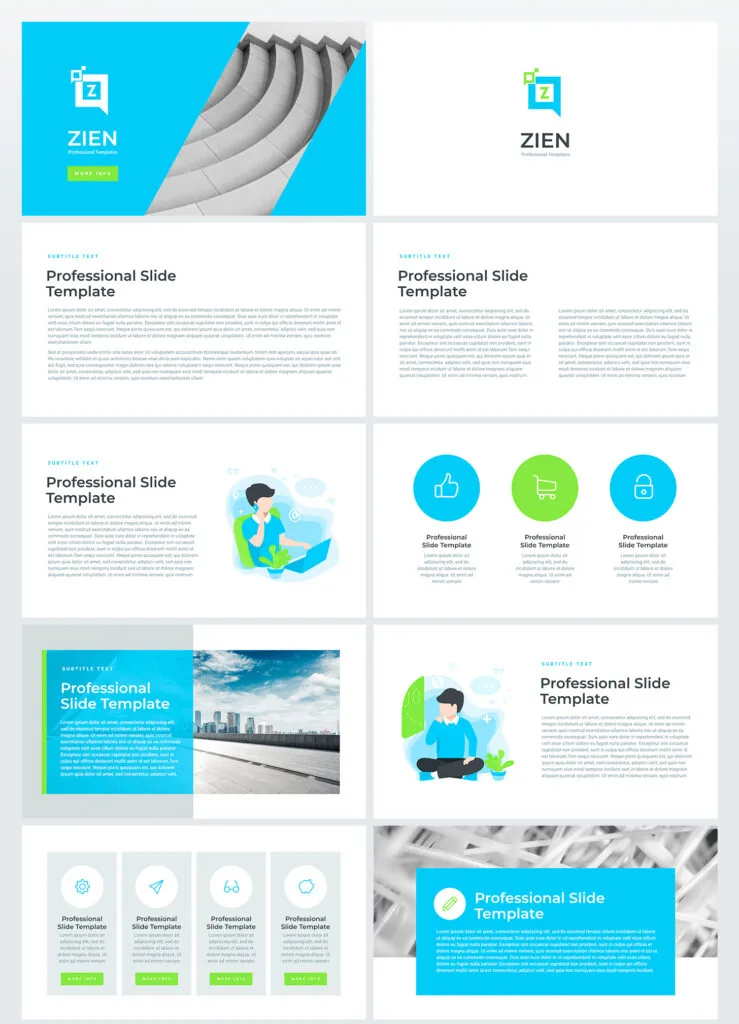
2. Free download. If you want to find a professional template for an animated presentation and download it for free, this pack is what you need! It is available for free for absolutely all users.
3. Multipurpose slides. 20 multipurpose well-structured slides comprise this template. Due to various visualization tools, it is possible to display all sorts of information and data. On the sample, you’ll find combinations of various visual elements.
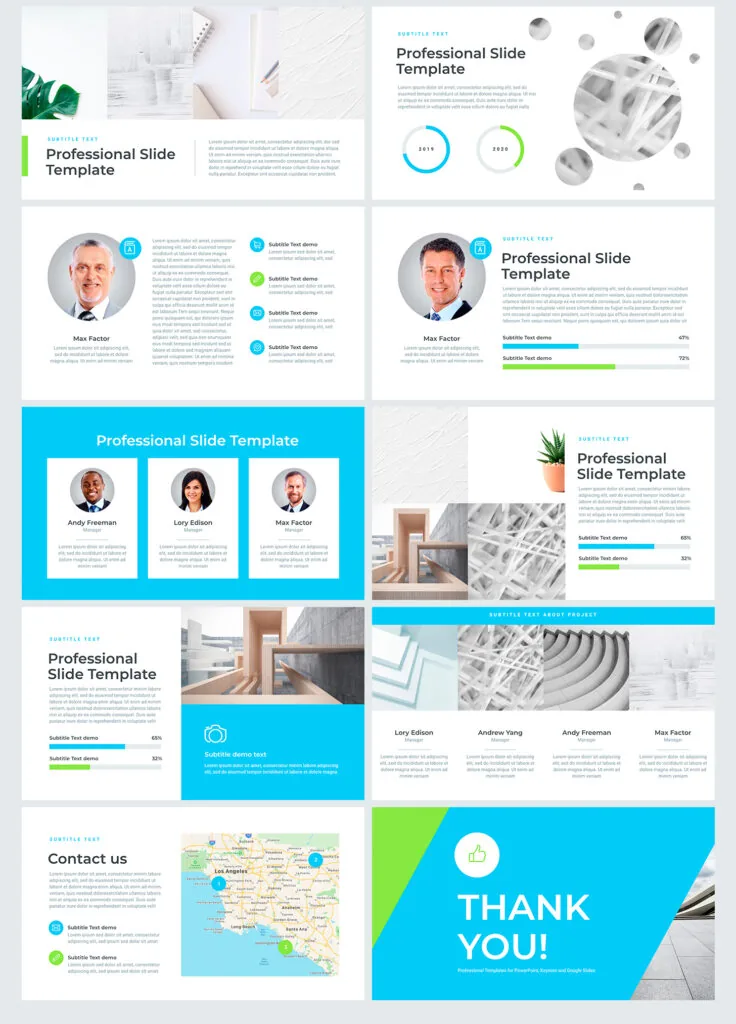
4. Premade easy-to-use pack. It is perfect assistance for users. Due to built-in tools, users can work quicker and easier, as well as edit vector elements. The pack won’t cause difficulties even if you’re a beginner and do not have special skills. If you choose an animation for Google Slides, be sure that listeners will perceive your issue better, and you’ll be able to catch their attention for the entire speech.
The pack is a useful and effective tool for the creation of modern and professional presentations.