

When giving a presentation, you should make sure that everything has been checked for spelling and grammar mistakes. If you don’t edit these out, you will often appear like an amateur. Errors might also make it harder for the audience to absorb your message. To make sure that you catch these mistakes before they get into the show, you should rely on the spell check function. By default, this is set to the language which you most commonly use. However, you may not always be writing in this language. For this reason, let’s look at how to change the language in PowerPoint.
Highlight the text you want to proof
In some cases, you might want to apply this check to a section of the text. In this case, select the part using the left-mouse button. If you’re going to use different languages throughout the whole PowerPoint, ignore this step.
Go the language section
First, you will need to move to the Review ribbon. This ribbon should be on the right-hand side of the screen. Click on this to present a range of options.
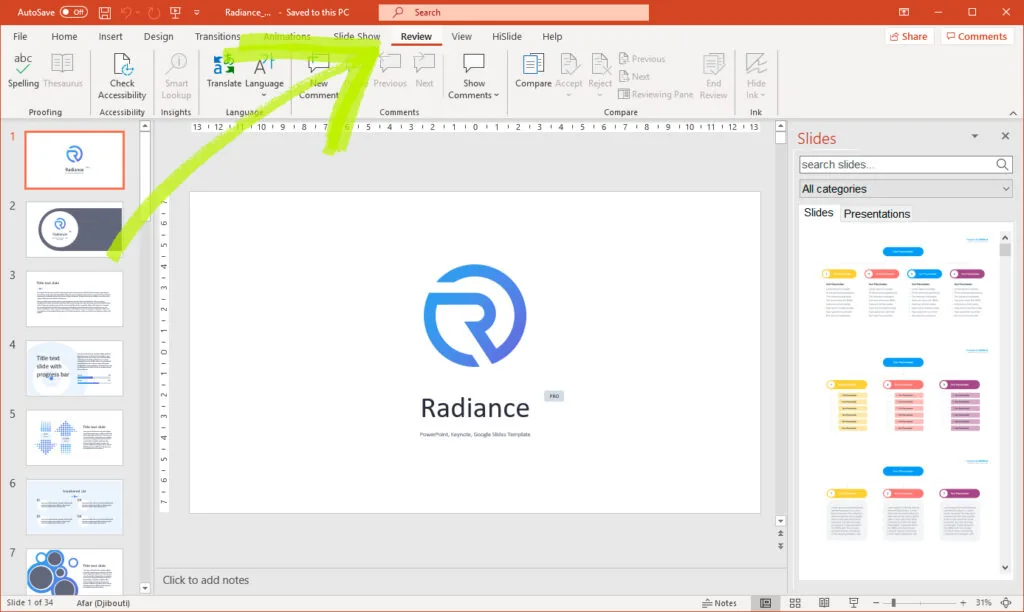
Once this has been done, move to the Language section. Clicking on this will trigger a drop-down menu.
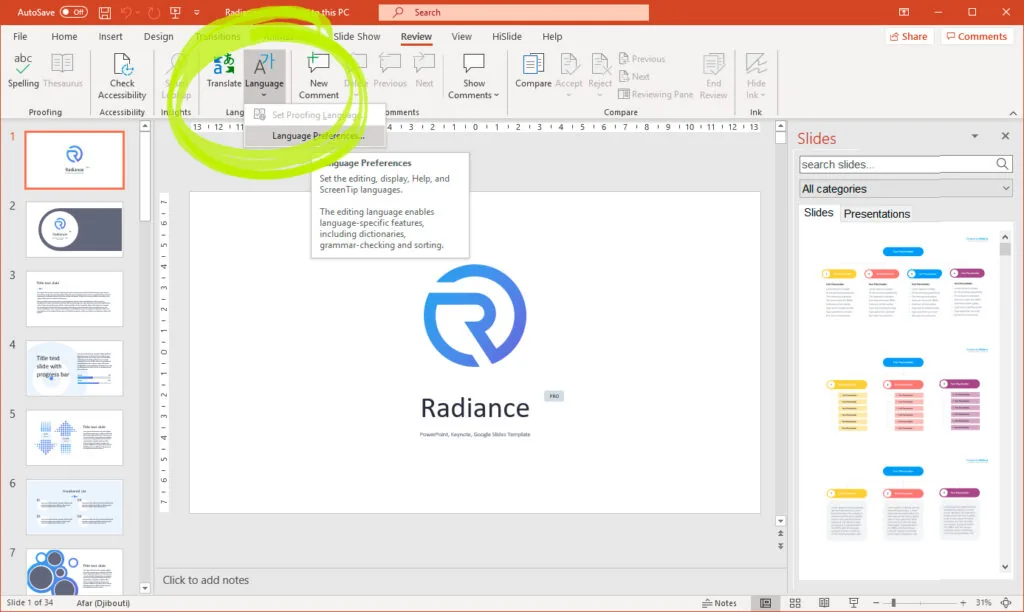
To change the language in PowerPoint, you will need to select the Set Proofing Language button.
Select the language that you want to use
After selecting Set Proofing Language, you will be given a list of possible options, as well as the default, which you are currently using.
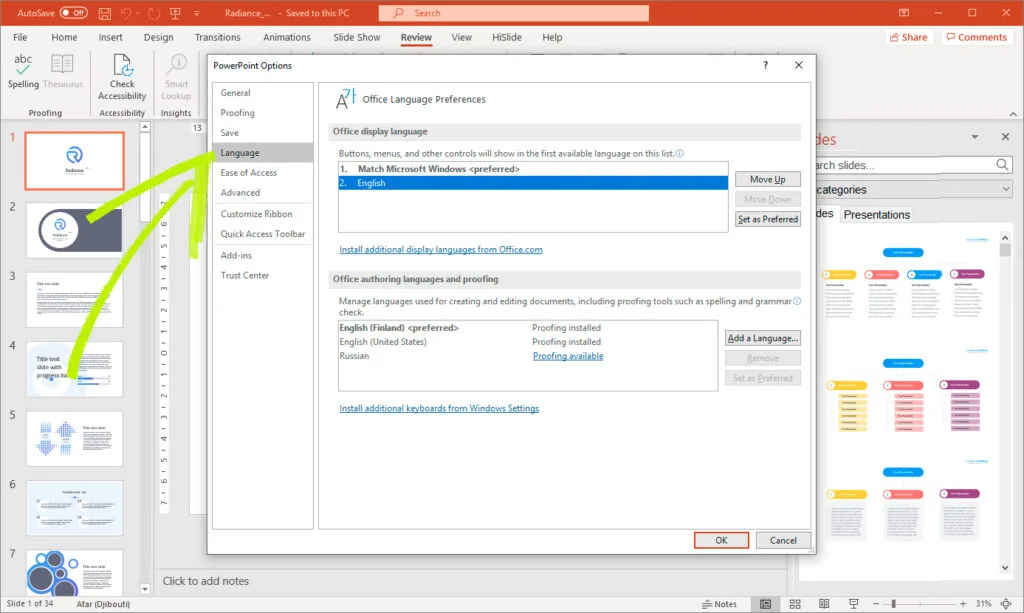
You will need to go through this list to find the option that you wish to use. Once you’ve found this, click on the language to highlight your selection. Then, click the OK button at the bottom of the dialog box. In some cases, this might generate a warning about changing the default language. To confirm the selection, click Yes.
You have now applied the change to the PowerPoint. This change will make it easier for you to check spelling and grammar.
Do a spelling check
To make sure that it’s worked correctly, you might want to perform a spelling check. You can do this by navigating to the Review tab. There, you will find the ABC Spelling, which checks the spelling in PowerPoint. Clicking on this will cause PowerPoint to look over the entire presentation, searching for any mistakes.
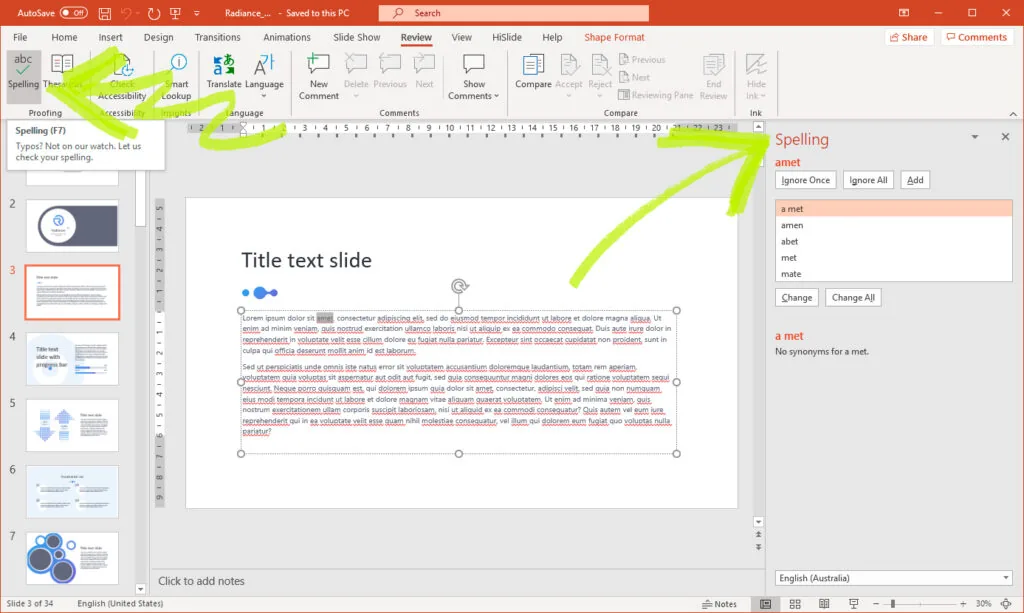
If the system finds any mistakes, it will go through them each one by one. You will then be able to either correct or ignore them, which can make it easier to proof an entire PowerPoint before you give a vital speech.
Conclusion
In today’s world, it’s common to give a presentation in multiple languages. For this reason, you will need to make sure that you can create a PowerPoint in numerous dialects. To help you do this, we looked at how you can change the language options to spot spelling and grammar mistakes in another language.